Shit-Stealing Gnomes System Requirements & Demo Install
Confirm your PC, install the free Steam demo, and wishlist the Q1 2027 release.
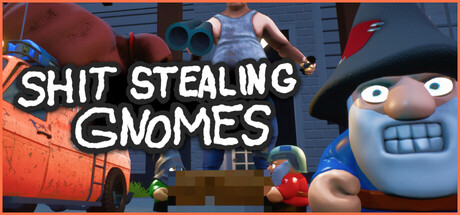
Before you practice soft landings on Jeff’s carpet, confirm the machine can run Shit-Stealing Gnomes. This page summarizes system requirements, how to install the free demo, and how to stay ready for the Q1 2027 full launch from Gnomic Resistance.
Official store pages list a 64-bit OS requirement with Windows 10 as the baseline. Always re-check Steam if developers expand the table — indie Unreal titles sometimes flesh out CPU/GPU rows over time.
Official baseline
Minimum (as published on Steam)
- OS: Windows 10 (64-bit processor and OS required)
- Additional CPU/GPU/RAM rows may appear or expand on the demo/store pages as the build matures — verify on Steam before buying new hardware solely for the demo.
Recommended
- OS: Windows 10 (64-bit)
Steam also notes technologies consistent with an Unreal Engine build for the demo. Plan drive space generously; demos can land in the multi-gigabyte range depending on depot compression.
Demo vs full game apps
| Build | Steam app ID | Status |
|---|---|---|
| Full game | 3979370 | Upcoming, planned Q1 2027 |
| Free demo | 5112550 | Live |
Install the demo from the main store widget or the dedicated demo page. Wishlist the full game so launch day is not a scavenger hunt. Official URLs are collected on Official Links.
Install checklist
- Update Steam and GPU drivers.
- Install Shit-Stealing Gnomes Demo (5112550).
- Confirm Windows 10/11 64-bit.
- Launch once to compile shaders / cache whatever the Unreal build needs.
- Set graphics to a stable preset before inviting three friends.
- Verify grab/carry feels right via Controls.
- Read Getting Started while it downloads if your connection is slow.
Performance habits for co-op nights
- Close browser piles before Mad Veteran.
- Wired Ethernet beats surprise Wi-Fi drops mid-extract.
- Agree on a graphics tier so the lookout’s frames stay readable.
- If one PC chugs, let that player scout less drone-heavy seats — see Team Roles.
- After big patches (physics/graphics optimization landed in October), rebuild cache with a clean reboot if hitching spikes.
Storage, accounts, and family sharing notes
Demos and unreleased games can carry Steam sharing restrictions. Treat each player’s library install as required for co-op rather than assuming Family Sharing will cover everyone. Keep Discord ready for lobby codes and patch pings — invite link on the Official Links page.
Accessibility and input
Steam feature tags include partial controller support and several accessibility-minded options categories (camera comfort, volume controls, and related flags as listed on the store). Explore in-game settings before long sessions. Partial controller support means you should budget ten minutes for deadzones — details on Controls.
What the demo already contains (so you know the download is “enough”)
Even as a demo, you get meaningful systems: Hub social space, ranks, cosmetics shop (hats/beards), tools such as drone and wirecutters, maps including Jeff’s House and Mad Veteran, To-Steal contracts, and car-as-safehouse extracts. October Next Fest updates added physics/graphics optimization, soft fabric fall-damage rules, spawn tuning, and more. Patch digest: Demo Patch Notes.
You do not need the full Q1 2027 client to learn the fantasy.
Wishlist and launch prep for Q1 2027
- Wishlist app 3979370 now.
- Follow the Steam news hub for Gnomic Resistance posts.
- Keep this wiki’s Updates Hub bookmarked for summarized changes.
- Expect richer houses with cameras/detectors later — hardware headroom helps when fidelity climbs.
Troubleshooting install problems
Demo will not launch: verify game files; confirm 64-bit OS; reinstall VC/DirectX redistributables Steam offers.
Friends cannot join: check demo vs full app mismatch; everyone should be on the demo build until release.
Severe hitching after an update: reboot, update GPU drivers, lower shadows/effects, then retest in a quiet house before Jeff’s House.
Audio imbalance: use per-category volume controls if available; hooman audio cues matter for lookouts.
Specs are necessary, skill is sufficient
Meeting Windows 10 64-bit requirements gets you into the Hub. Soft landings, list discipline, and car extracts keep you there. Pair this page with the Demo Walkthrough and stop blaming the GPU for hardwood fall damage.
Install the demo. Wishlist the full game. Steal responsibly for the Resistance.
Frequently Asked Questions
Quick answers to the most common questions.
What OS do I need?
Windows 10 with a 64-bit processor and operating system, per Steam's published requirements.
Is the demo free?
Yes. Install Steam app 5112550 while the full game (3979370) remains upcoming for Q1 2027.
Should I wishlist the full game?
Yes. Wishlist from the official store page linked on Official Links for launch alerts.
Does Family Sharing always work for the demo?
Demos can be excluded from Family Sharing. Have each player install the demo on their own account when possible.
Where do I go after installing?
Configure Controls, then follow Getting Started.